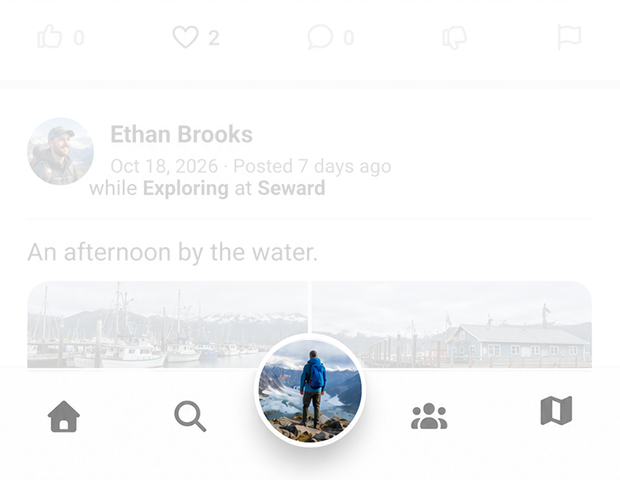
Getting started
Here’s how.
- Home button / Feed Menu
double tapping this will bring you to your home screen/feed also known as the Full Feed.
Tapping in once will open the menu: Full Feed - Family Feed - Friends Feed - Follow Feed - Fauna Feed - Fed Feed- Search button
The search button loads the following menu:
People - Search for users
Places - Search for places and entity locations pages
Activities - Search for activities pages
Entities - Search for entity pages
Wildlife - Search for wildlife page
Nearby Wildlife - Search for wildlife sighted in the last week around your location
Nearby - Search up places near youUser button
This has options related to you and your content.
Support - Settings - My Profile - My Family - My Trips - My Imdoings - My Sightings - My Routes - My Waypoints and Markers - My Favorites & Pins - My Entities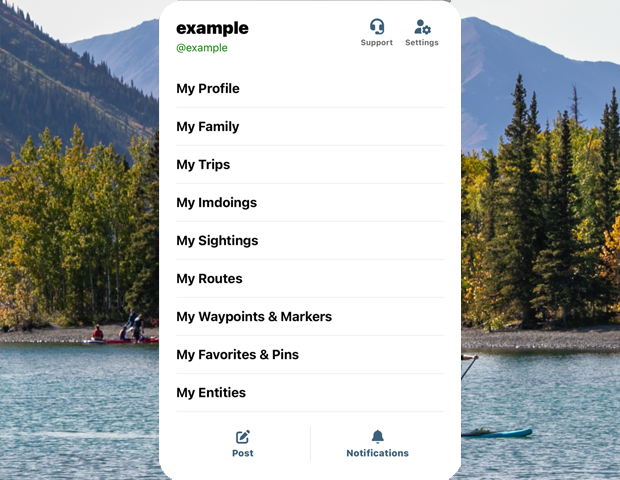
- Community button
Pages related to the 02GO community
Leaderboard
Pending Friends
Temporary Cohorts- Map button
This brings you to the main 02GO map.
- Downloaded offline maps
- Orientate North - if you spin or rotate the map this resets it to North = top
- Center to my location
- Record a wildlife sighting
- Create a marker or waypoint (saves markers on your personal map)
- Suggest a location that is not on the map but should be
Need a hand? Ask us about this feature →