All tutorials My Favorites & Pins

Your story

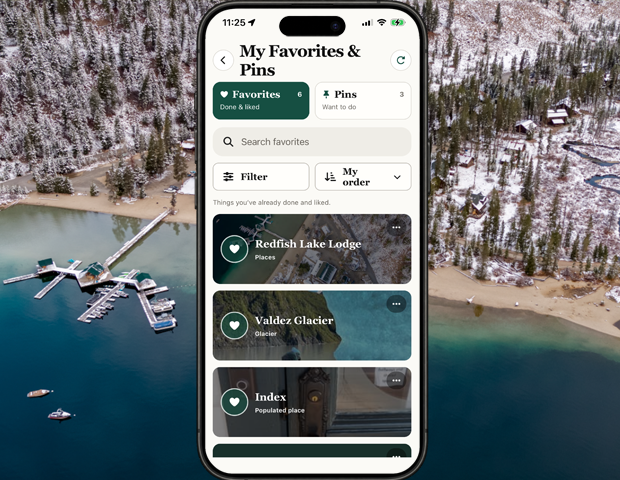
My Favorites & Pins

Keep the things you want to return to within reach, whether they are useful now or an idea for later.

Favorites are places you've been and things you've already enjoyed. Pins are things that you'd like to experience.
Show me how ↓
Illustration for My Favorites & Pins
Feature illustration

Getting started

Here’s how.

  1. Places, entity lodging and locations, experiences, and product pages have   in the top right corner. Tap that and choose the favorite or pin option.

    If you've already experienced and loved it use favorite. If you want to some day, pin it.

  2. Open the user menu and choose My Favorites & Pins.

  3. Select a saved item to return to it.

Need a hand? Ask us about this feature →
Take your story with you

Go live life.
Keep what matters.

Bring your memories, discoveries, and connections together with 02GO.