Getting started
Here’s how.
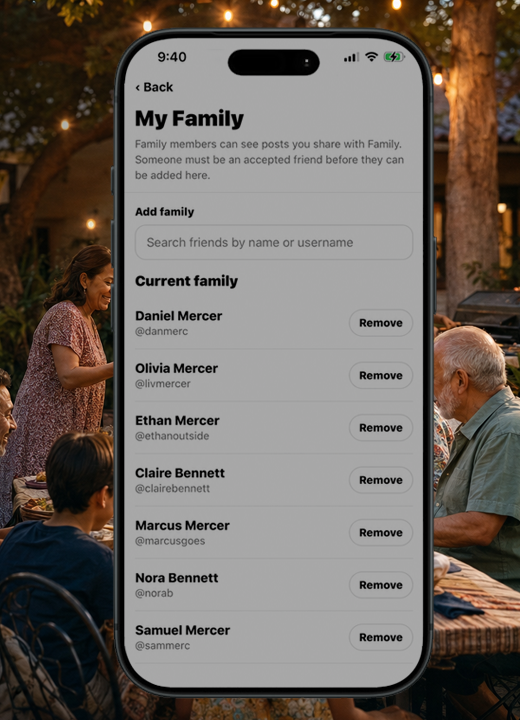
Open the user menu and choose My Family.
Review the family connections and options available to your account.
Use the Family feed to return to family updates.
Need a hand? Ask us about this feature →
People & plans
Getting started
Open the user menu and choose My Family.
Review the family connections and options available to your account.
Use the Family feed to return to family updates.
Need a hand? Ask us about this feature →
It all connects
Feeds
Give family memories a familiar place to land, with a dedicated feed and family sharing choices.
Open the guide : Family feedYour story
Some stories are for everyone. Some belong closer to home. Choose the audience for each post.
Open the guide : Setting PrivacyTake your story with you
Bring your memories, discoveries, and connections together with 02GO.