Getting started
Here’s how.
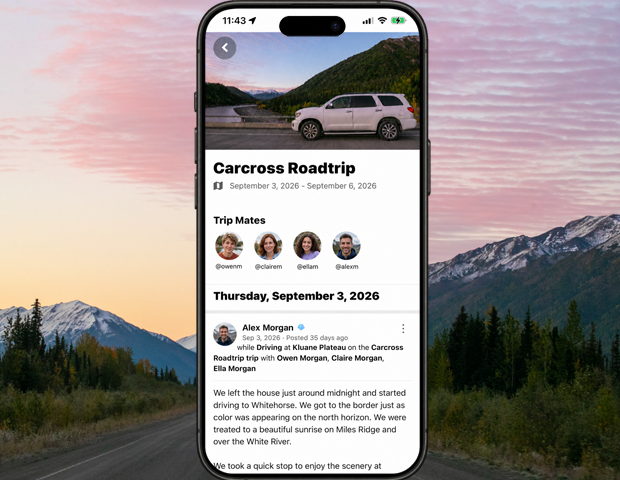
Title
By what name do you refer to your trip.Dates
Trips consist of and start and end date.
All posts, routes, and sightings that have a when date between those two dates will automatically be chronologically shown in the trip.Privacy
Select who can see your trip.Tripmates
Tripmates are the people who joined you in your trip.
When you add someone as a tripmate they must accept the invitation to be a tripmate before they are considered a tripmate.
Once someone is a tripmate the trip will show in their profile under their trips. All of their posts, routes, and sightings will be filed in the trip along with yours.Favorites
Favorites are the objects you have tagged in your posts that you have also favorited.
For instance, if you visited the Great Wall of China on your trip and tagged it as a where in your post. Then if you were to go to the page for the Great Wall of China and clicked on the item in the top right of the page and choose Favorite, or had already favorited it. The Great Wall of China would show up in your trip favorites.
Same with entity places or products.That way people can see what the favorite parts of your trip were in case they were thinking of visiting the same places.
Need a hand? Ask us about this feature →