Getting started
Here’s how.
Open Edit Residences
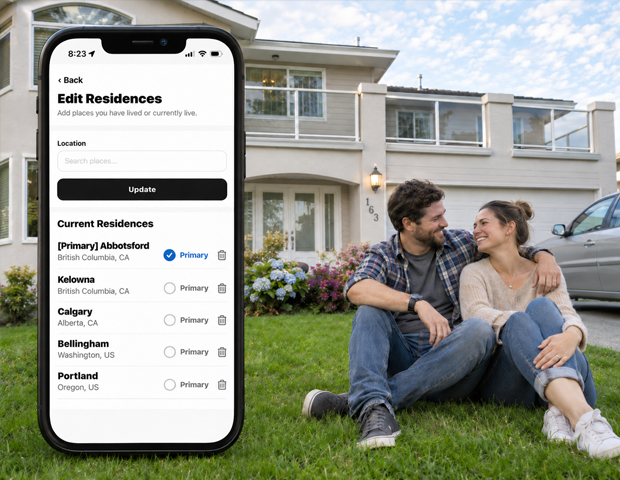
Open Settings and choose Edit Residences.
Find a place
Use Search places... and select the matching place. Check the parent location when names are similar.
Save the residence
Tap Update to add the selected place to your residence list.
Choose your primary residence
Use Primary beside a saved residence to mark it as your primary one.
Remove an entry
Use the remove control beside a residence and confirm Remove when you want it taken off your profile.
Good to know
Residences are optional. Only add places you are comfortable including in your profile information.
Need a hand? Ask us about this feature →