All tutorials My Profile

Your story

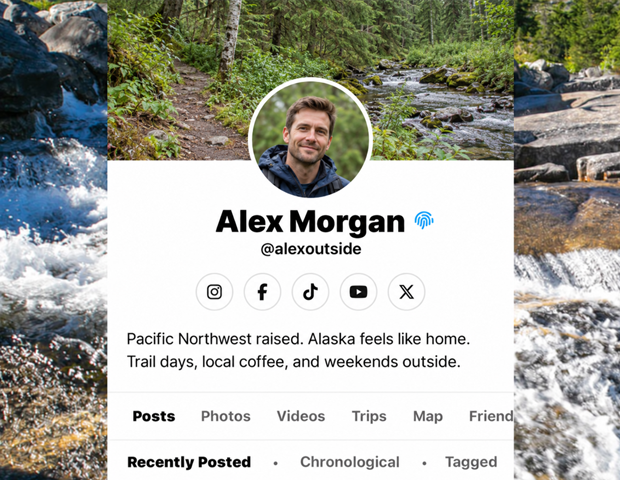
My Profile

A place to return to your own stories and let people get to know you through the experiences you share.
Show me how ↓
Illustration for My Profile
Feature illustration

Getting started

Here’s how.

  1. Open the user menu and choose My Profile.

  2. Username - Avatar - Cover

    Your username, avatar, and cover photo help define your profile. Those can be set through the settings page in the user menu portion of the root menu.
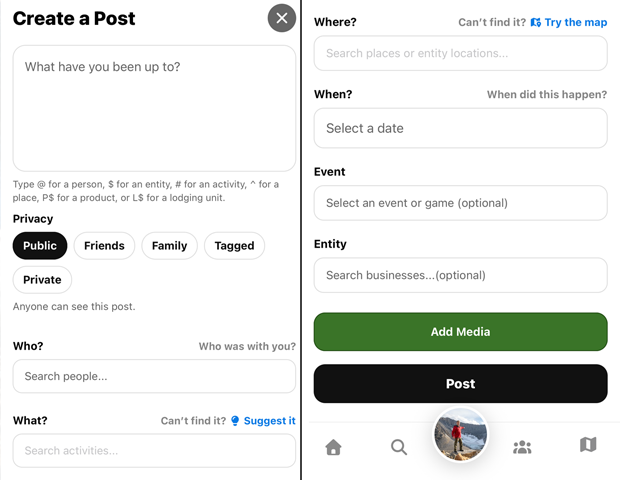
  3. When adding new memories, choose their audience in the post editor. As posts, routes, and sightings are added and users interact with 02GO the profile becomes more filled out.

Need a hand? Ask us about this feature →
Take your story with you

Go live life.
Keep what matters.

Bring your memories, discoveries, and connections together with 02GO.