Getting started
Here’s how.
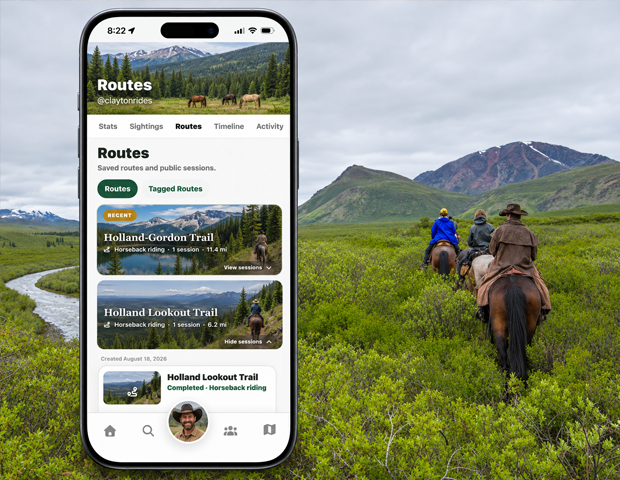
Open Routes
Open a profile and choose Routes.
Choose the section
Use Routes for saved routes and public sessions, or Tagged Routes for routes the user joined as a cohort.
Expand a route
Tap View sessions on a route to reveal its available recordings. Review the session’s date, activity, distance, duration, and status.
Open a session
Tap a session to open its activity page and route map. Tap Hide sessions to collapse the route again.
Good to know
A saved route can have multiple recorded sessions. Open the session that matches the day you want.
Need a hand? Ask us about this feature →