Getting started
Here’s how.
Open the Activity tab
Open a profile and choose Activity. The page groups related posts under activity names.
Find an activity
Browse the featured activity tiles and More activities list. Tap the search icon to search this user’s activity names.
Open the activity history
Tap an activity to see its Activity history, date range, and places.
Expand a place
Tap a place row to expand or collapse its posts. Tap View post to open a specific memory.
Build your own activity history
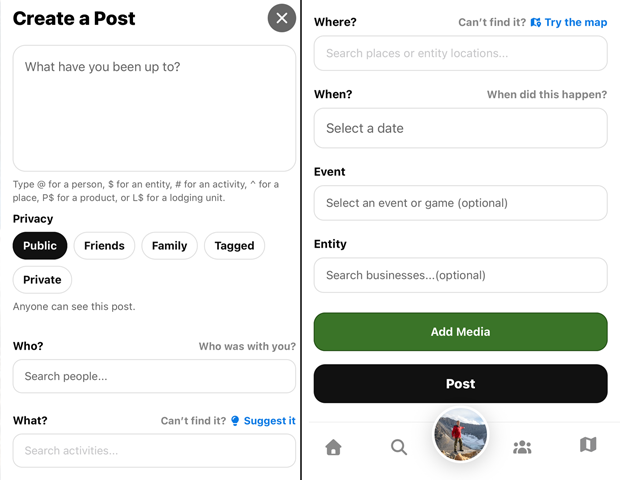
When creating posts, choose the activity that describes what you were doing. Activities appear on this page as related posts become available.
Good to know
Profile Activity groups experiences by what someone did. Use Timeline when you want to browse by date.
Need a hand? Ask us about this feature →