Getting started
Here’s how.
Open the community question
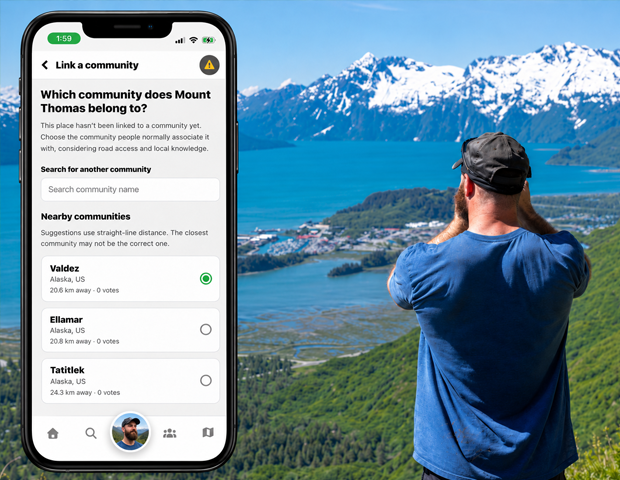
Open Link a community for a place that does not yet have a community assignment.
Consider local access
Review nearby suggestions. Think about road access and local knowledge, rather than choosing only by straight-line distance.
Search when needed
Use Search community name if the right community is not among the nearby suggestions.
Submit your choice
Sign in, select the community, and tap Submit vote or Save my vote.
Review the result
The page shows vote totals and the rules needed for automatic assignment. You can change your vote until a community is assigned.
Good to know
The page displays the current minimum vote, support, and lead requirements. One vote does not immediately assign the community.
Need a hand? Ask us about this feature →