Getting started
Here’s how.
Open the editor
Open your post and use its edit action. Editing controls depend on your permissions.
Update the story and context
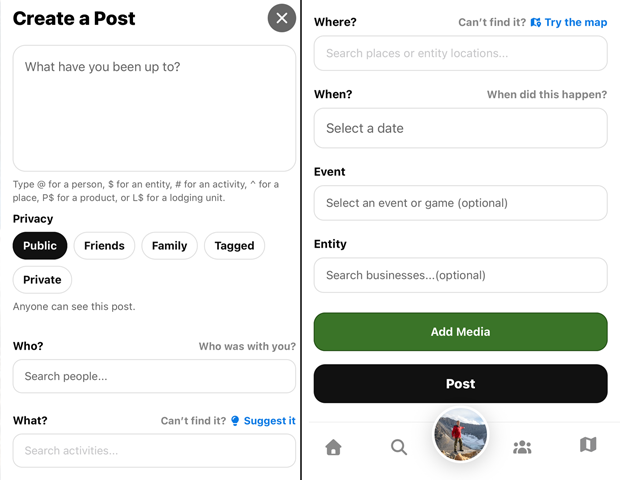
Change the text or the available Who was with you?, What were you doing?, Where did this happen?, and When did this happen? fields.
Check the audience
Review the selected privacy setting before saving.
Save the changes
Tap Save or Save Changes to keep the edits.
Manage media separately
If the editor directs you to Edit photos, open that action from the post menu to manage attached media. Some posts show an edit-protection or media-lock explanation.
Good to know
Editing does not republish the post or move it to the top of feeds. The editor states that changes are kept in its edit history.
Need a hand? Ask us about this feature →